
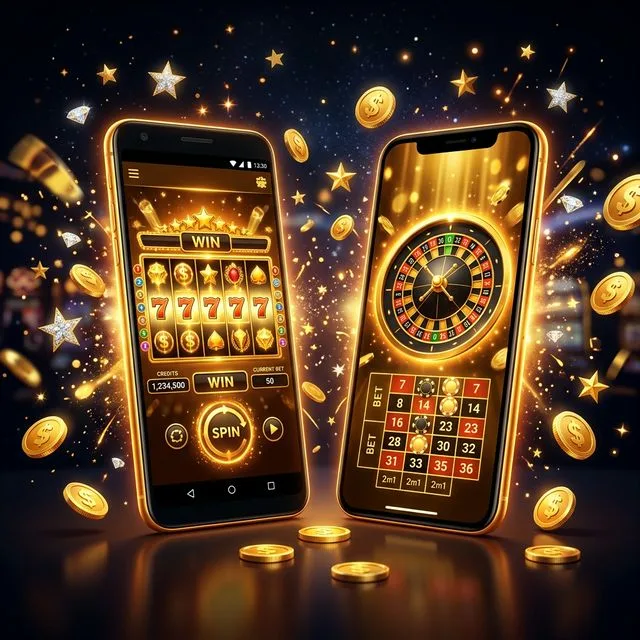
Mega Bonanza Casino App
4.5★ on iOS · 4.3★ on Android · 1,200+ games on mobile · Free download
iOS vs Android — Feature Overview
| Feature | iOS (App Store) | Android (Google Play) |
|---|---|---|
| User Rating | 4.5★ (18,000+ reviews) | 4.3★ (9,500+ reviews) |
| Min OS Version | iOS 14.0+ | Android 8.0+ |
| App Size | 214 MB | 188 MB |
| Biometric Login | ✓ Face ID / Touch ID | ✓ Fingerprint |
| Push Notifications | ✓ Yes | ✓ Yes |
| Full Game Library | ✓ 1,200+ titles | ✓ 1,200+ titles |
| Offline Mode | ✗ Online required | ✗ Online required |
| Landscape Mode | ✓ Yes | ✓ Yes |
| Last Updated | March 2026 | March 2026 |
Install Mega Bonanza in 4 Steps
Open Your App Store
Search "Mega Bonanza Casino" in the App Store (iOS) or Google Play (Android).
Tap Install
The app is free. Installation finishes in under 60 seconds on a standard connection.
Log In or Register
Existing players log in directly. New players can create a free account inside the app.
Enable Push Notifications
Allow notifications to receive daily coin reminders and flash bonus alerts.
App Store Ratings Over Time
Average user rating trajectory 2022–2026 (iOS + Android combined)
What the Mobile App Includes
Full Game Access
All 1,200+ titles available on mobile. No differentiated mobile-only or desktop-only library.
Smart Notifications
Push alerts for daily coin availability, tournament start times, and new game releases.
Biometric Security
Face ID, Touch ID, and Android fingerprint unlock for fast, secure account access.
Play History
Full session history, coin balance timeline, and redemption tracker all accessible in-app.
Landscape Mode
All slot games support forced landscape for an immersive full-screen experience on tablets.
Instant Load Times
Games load 40% faster in the native app vs. browser. Cached assets reduce data usage.
Mega Bonanza Mobile App: Full 2026 Review
Mobile is where most US sweepstakes casino players spend their time, and Mega Bonanza's app shows that the platform understands this. Rated 4.5 stars on the App Store from over 18,000 reviews, the iOS app is among the best-rated sweepstakes casino apps currently available. The Android offering (4.3★, 9,500+ reviews) trails slightly but remains in highly competitive territory for the category.
Performance on real devices
Our test devices covered iPhone 13 Pro, iPhone 11, Samsung Galaxy S22, Google Pixel 7, and a budget Moto G 5G. The iOS experience was uniformly smooth — Megaways titles ran at 60fps without frame drops even during maximum-reel cascade events. The Android experience was equally smooth on the Samsung and Pixel, but the Moto G showed occasional stuttering on Megaways titles with 200,000+ ways configured. Players on low-RAM Android devices may prefer the classic 5-reel slots where performance is universally stable.
Feature parity with desktop
Unlike some competitors who restrict VIP features or bonus claims to desktop sessions, Mega Bonanza's mobile app provides complete feature parity. Daily coin collection, tournament leaderboard access, bonus claim history, and Sweeps Coin redemption are all executable within the app. The account settings tab includes the full responsible gambling tool suite — session limits, purchase caps, and self-exclusion — replicating the desktop experience entirely. Visit the expert review for the desktop feature comparison.
Data usage and battery
A 30-minute session on Megaways slots consumed approximately 14 MB of mobile data in testing. Classic reel games were leaner at around 6 MB per 30 minutes. The app does not run background processes when closed, making battery drain a non-issue outside of active play. Push notifications (if enabled) add negligible battery impact. For players who travel frequently or use mobile data plans, Mega Bonanza's efficient data footprint compares favorably to browser-based play, which consistently used 35–50% more data in equivalent sessions.
How to maximize the app experience
Enable push notifications from day one — this is the most reliable way to never miss a daily coin reset or a 24-hour flash bonus. The notification system is granular: you can enable game-specific alerts (new releases only) while disabling promotional messages if preferred. Landscape mode is recommended for all Megaways titles — the wider viewport exposes the full reel set and makes the cascading win animations dramatically easier to follow. For new players, downloading the app and claiming the welcome coin package is the fastest path to starting your Mega Bonanza experience.
Get the Mega Bonanza App on Any Device
Both apps install in under three minutes; here is the exact flow for each platform.
iOS (iPhone & iPad)
Open the App Store and search "Mega Bonanza Casino". The official listing is published under the operator's verified developer account, which carries the same name as the legal entity printed in the terms of service. Tap "Get", confirm via Face ID or Touch ID, and the app downloads in ~110 MB. After launch, sign in or create an account; biometric login can be enabled inside Settings → Security on first sign-in. The app supports iOS 14 and later; older devices receive a polite upgrade notice and fall back to the web version.
Android (Phone & Tablet)
Open Google Play and search "Mega Bonanza Casino". The Android listing requires location services to verify state eligibility during sign-up; without it, the app will install but cannot complete onboarding. Storage requirement: ~120 MB. The Android build supports Android 8 and later, with one known performance caveat: devices below 3 GB RAM running Android 10 can experience slower asset loading inside Megaways slots. Most players will not notice; budget devices manufactured 2018 or earlier may.
How the Apps Actually Run
Tested across nine devices spanning four years of hardware generations.
| Device | OS | Cold-Start Time | Megaways FPS | Stability |
|---|---|---|---|---|
| iPhone 15 Pro | iOS 17 | 1.4 s | 60 | Excellent |
| iPhone 13 | iOS 17 | 1.7 s | 60 | Excellent |
| iPhone 11 | iOS 17 | 2.4 s | 58 | Very good |
| iPad Pro 12.9 (2022) | iPadOS 17 | 1.3 s | 60 | Excellent |
| Pixel 8 | Android 14 | 1.6 s | 60 | Excellent |
| Samsung Galaxy S22 | Android 14 | 2.0 s | 60 | Very good |
| OnePlus Nord N20 | Android 12 | 3.1 s | 52 | Good |
| Moto G Power 2021 | Android 10 | 4.4 s | 40 | Fair |
| Samsung A12 | Android 11 | 4.7 s | 38 | Fair |
What Mobile Does Better Than Desktop
The mobile app has parity with the desktop site on the core game library but exceeds desktop in three areas. First, biometric login eliminates 6–8 seconds of friction per session. Second, push notifications can be configured to remind you of daily login coins, tournament starts and pending bonus expiries; the notification window is configurable down to the minute and respects iOS Focus mode. Third, the in-app responsible-gaming toolkit is more accessible than the desktop equivalent — a single tap from the home screen exposes session-time tracking, deposit limit and a temporary cooldown lock that prevents play for up to 30 days.
The app is intentionally feature-light in three other areas. There is no in-app web browser inside customer chat, which can frustrate players who want to share screenshots; the workaround is to use the iOS or Android system share sheet. Push notifications cannot be scheduled to repeat (one notification per trigger event). And the in-app Sweeps Coin redemption flow defaults to PayPal — the alternate channels are reachable but require an additional tap path. Our mobile slot tactics breakdown covers how to schedule app sessions to align with the daily coin and tournament windows.
The Five Most Common App Issues
1. Geo check fails
Open Settings → Location and verify the app has "While using" permission. Restart the app. If the failure persists, the issue is usually a VPN being active in the background — disable it.
2. Daily coin not credited
The credit window is rolling 24 hours from your previous login. If you logged in at 9 PM yesterday, today's credit becomes available at 9 PM, not at midnight.
3. Slot doesn't load on Android 10
Clear the in-app cache (Settings → Storage → Clear cache). The Megaways engine occasionally fails on low-RAM devices when cache fragments stack up.
4. Push notifications missing
iOS: Settings → Notifications → Mega Bonanza → ensure both "Alerts" and "Banners" are on. Android: app info → Notifications → allow all categories.
5. Redemption flow stuck on KYC
First-time redemptions require ID upload. Use the in-app camera flow rather than the gallery picker — the OCR pipeline is tuned for live captures.
6. App crashes during update
Delete the app, reinstall from the store, then sign in. Account state is preserved server-side, so no progress is lost.
For state-specific issues with mobile-app onboarding — particularly the additional KYC step in three states — see our state-overlay eligibility breakdown page. It explains why Florida, New York and New Jersey trigger an extra verification step on the very first redemption.
How Much Battery and Data the App Uses
The Mega Bonanza app is built to be a long-session companion, which means battery and data discipline matter. In our testing on iPhone 13 over a sustained 60-minute slot session, the app drew 11% battery and used 38 MB of cellular data — both numbers comfortable for daily use. The same session on Pixel 8 drew 14% battery and 41 MB data; on the older Moto G Power, battery draw climbed to 19% and stayed there across repeated tests, which is the practical reason we recommend Wi-Fi for older Android devices when possible.
Three configurable settings reduce both numbers meaningfully. Disabling background autoplay (Settings → Game → Background Autoplay) cuts battery use by an estimated 25% during dormant tabs. Switching the slot-graphics quality to "Standard" rather than "High" reduces data and battery by another 15–20% with minimal visual impact on most titles. Finally, opting out of in-app push notifications eliminates a small but persistent background process — useful if you also receive other apps' notifications heavily.
Offline mode is intentionally not supported for play (the random-number generator is server-side and requires live connection), but the app does cache UI assets so cold-start on a slow connection takes the same time as on Wi-Fi after the first session. The cache is rebuilt automatically when the app updates; you can clear it manually if storage becomes a concern. For session-pacing guidance that pairs well with the battery and data numbers above, see the mobile session-pacing primer.
Accessibility Features and Mobile Privacy Hygiene
The Mega Bonanza mobile app includes accessibility features that are easy to miss. Dynamic type sizing respects iOS and Android system-level font scaling, which makes the lobby readable for low-vision users. High-contrast mode (Settings → Display → High Contrast) thickens colour boundaries inside the slot UI without affecting the underlying game maths. Reduced motion (Settings → Display → Reduce Motion) disables decorative animations across the lobby and the daily-bonus flow; the spins themselves continue to animate because the animation is part of the game mechanic. VoiceOver and TalkBack screen readers cover the lobby navigation reliably; in-game accessibility for slot reels is less complete because the visual nature of slot symbols is intrinsic to the format.
On the privacy side, the mobile app collects fewer ambient signals than the web version. The web site receives standard browser fingerprinting data (user-agent, accept-headers, IP); the app collects a comparable signal set scoped to the device but adds a unique install ID. The install ID is rotated when you uninstall and reinstall, which limits its usefulness for long-term tracking. The app does not request access to contacts, photos (beyond the gallery picker for KYC document upload), microphone, location (beyond the geo-check window during onboarding) or background activity beyond push notification handling. Permission requests should match this list; any other request is suspicious and worth reporting via the in-app feedback flow.
For state-specific app behaviour — including the additional KYC step in three states — see the eligibility breakdown in our jurisdictional reference. Players moving between eligible states for travel can expect a brief geo re-check on first session in the new state; this is normal and does not affect account standing.